Case Study · Dementia Care · AI Companion

Catherine

An AI companion for dementia family caregivers, built for the moments they face alone.

Role UX Designer Team Solo UXD · 6-person early-stage team Timeline 2022 prototype (pre-MVP) · Retrospectively reimagined in 2026
Hero Visual
Final product showcase Drop the marquee mockup here — e.g. Catherine chat UI on a phone, showing a memory-aware response in action
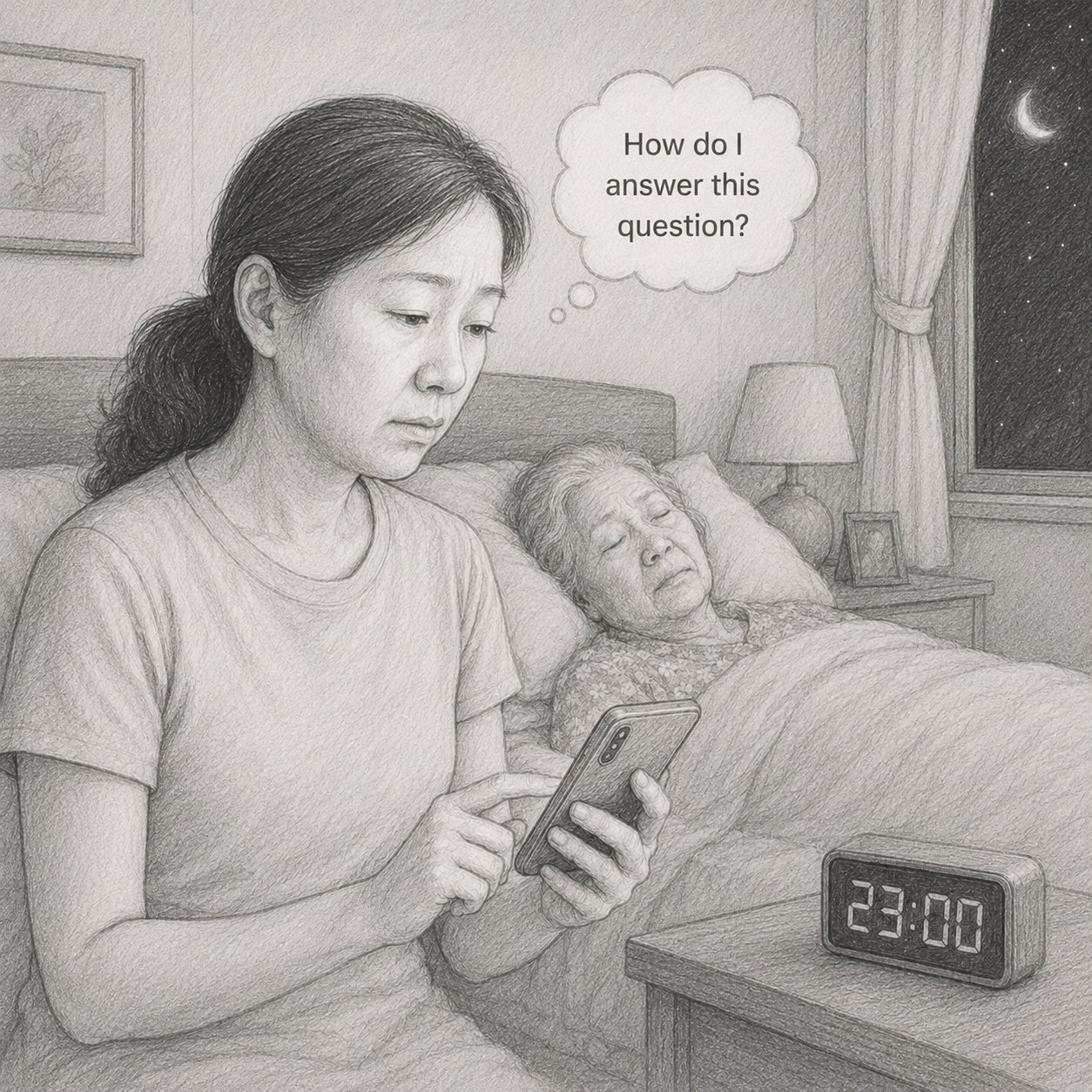
Linda sits by her mother's bedside at 11pm, holding her phone, with a thought bubble that reads 'How do I answer this question?'
11:00 PM

Linda has just gotten her mother to sleep. For the fifth time today, Mom asked, "Where is my husband?" Each time, Linda didn't know how to answer — the truth would devastate her mother, a lie would devastate Linda. She picks up her phone, not wanting to bother anyone, looking for one thing: how do I answer this question?

Context

The reality of caregiving

Dementia caregivers don't only face care tasks. They face constant emotional pressure and an information vacuum. In the critical moments — when a mother asks repeatedly about someone who passed, when a father refuses to eat, when wandering happens — they need immediate, trustworthy answers, not a list of forty Google results to triage.

Existing resources are either too scattered or too gatekept. In the moments help is needed most, the caregiver is often alone.

Who I designed for

Family caregivers, mostly invisible

Spouses and adult children. Aged 45–75. Moderate-to-low digital comfort. Living under sustained stress. Almost always unprepared for the sudden behavioral incidents dementia brings.

Linda, 55

Daughter and primary caregiver

Caring for Mom (Sarah, 78) · early-to-mid stage dementia · lives with her
Hardest hours Late evening, after the household quiets and questions start to repeat
Tech comfort Daily phone user. Will not read a 12-paragraph article at 11 PM.
Pain points
  • Repeated questions she doesn't know how to answer
  • Behavioral changes that arrive without warning
  • Generic Google results that don't fit her exact situation
  • Reluctance to keep asking family or friends for help
2022 · Then

What we built

Catherine was built by a fully remote, early-stage team. As the only designer, I worked outside the rooms where most decisions formed.

I owned the sign-up/login flow and the chat interface wireframes. AI behavior, tone, and product strategy sat outside my scope.

Wireframe placeholder 2022 sign-up screen — full-page form, required fields including phone number, password complexity rules, "Try as guest" demoted to secondary link

Sign-up / Log-in

1 Gate before value. Users had to commit before experiencing what Catherine could do for them.
2 Required fields stacked up. Name, email, phone, complex password — all asked upfront, without explaining what they were for.
3 "Try as guest" was a side door. The most valuable entry point was a footnote, not the default path.
Wireframe placeholder 2022 chat interface — generic greeting, topic picker first, no memory anchor, no signal of continuity between sessions

Chat interface

1 Generic greeting. Catherine introduced herself the same way to everyone, every time. No acknowledgment of context, urgency, or returning visit.
2 No memory anchor. Each session felt like a fresh start. The caregiver had to re-explain their situation every time.
3 "Pick a topic" framing. Catherine asked what category the user wanted to discuss — a UI metaphor that doesn't match how distress arrives.

Feedback was sparse. Decisions arrived as instructions, not conversations, and I delivered without asking what they were for.

2026 · Now

Reframing Catherine as an AI companion

What I'd build if I came back to this problem today — not as a chatbot, but as a companion that remembers, behaves with care, and earns its place in a caregiver's hardest hours.

01

Trial first. Sign-up later.

Let users feel Catherine before asking them for anything. Sign-up becomes an upgrade — for memory, history, and continuity — not a gate.

  • Principle

    Lead with value, not the form.

    "Try as guest" is the default path. Users experience a full Catherine interaction before any commitment is asked of them.

  • Principle

    Earn the sign-up.

    Once a user has felt the value, registration is invited with a clear "here's what you gain": memory, history, continuity.

  • Principle

    Shrink the form.

    Only ask for what is necessary. Phone, complex passwords, and marketing checkboxes are removed.

  • Principle

    Respect the moment of entry.

    Many users arrive at 11 PM, mid-crisis. The flow assumes one hand, low attention, high stress — not a fresh desk and a coffee.

Flow placeholder Trial-first entry → first valuable interaction → contextual sign-up invite
02

Designing how Catherine talks.

In an AI product, how it talks is the product. Tone and response structure aren't polish — they're the core of whether Catherine feels trustworthy at 11 PM.

Voice principles

Calm. Supportive. Non-judgmental. Never alarming, never instructive, never preachy. The voice meets the caregiver where they are — exhausted, uncertain, doing their best.

Response structure

Every substantive answer follows the same five-part shape, so users learn what to expect:

  1. Emotional validation. Acknowledge that the moment is hard before doing anything else.
  2. Possible reason. Name a likely cause — medical, environmental, behavioral — so the user has a frame.
  3. What you can try. One to three concrete things to try in the next few minutes.
  4. What to avoid. Common missteps that make the situation harder.
  5. Safety disclaimer. "This assistant provides general caregiving information. It does not replace medical advice."
Response example placeholder A real Catherine response showing the five parts in action, keyed to Linda's "Where is my husband?" question
03

Making memory visible without making it loud.

When Linda types "She's asking about Dad again," Catherine's response draws on what it remembers: Mom's name is Sarah. Mom no longer remembers Dad passed in 2019. This question has come up before. The design question: how does the UI signal that memory is in use, without breaking the conversation?

Artifact

Chat UI mockup Linda's question + Catherine's response, with a subtle memory marker on the parts drawn from prior context. Tap reveals a small card: "Based on: Mom no longer remembers Dad passed · Added April 3 · Edit / Remove"
Rejected approach We considered a "Using memory" banner above each response — but it made the conversation feel audited instead of understood. Memory should be discoverable, not announced.

Design principles

  • Transparent by default, but quiet.

    Memory should be discoverable, not shouted. A subtle underline or dot — not a banner or callout.

  • Editable at the point of use.

    When you see Catherine using a memory, you can tap it there to view or edit — no settings-page archaeology.

  • User-driven, not Catherine-driven.

    Catherine never announces "I remember X." Memory only surfaces when it's naturally being used in a response.

  • Never quantify intimacy.

    No "Catherine knows 47 facts about your mom" metrics. That's both surveillance-y and reductive.

Reflection

What I learned, asked years late.

Back then, design decisions arrived without rationale, and I executed without questioning what I might have asked. I didn't realize that pushing for the "why" — even in writing, even unanswered — was part of my job, not a luxury reserved for senior designers.

In some sense, this case study is those questions, asked years late.

Forward-looking · 01

Design for trust before engagement.

In high-stakes contexts, retention and DAU will mislead you. Solve "do users dare to trust this?" before "how often do users come back?" Engagement metrics are downstream of trust — never the other way around.

Forward-looking · 02

Start with the moment, not the feature.

Always begin from a specific user moment — with time, place, and emotional context — not an abstract feature description like "an AI assistant for X." If you can't picture the moment, you can't design for it.